
 by
by 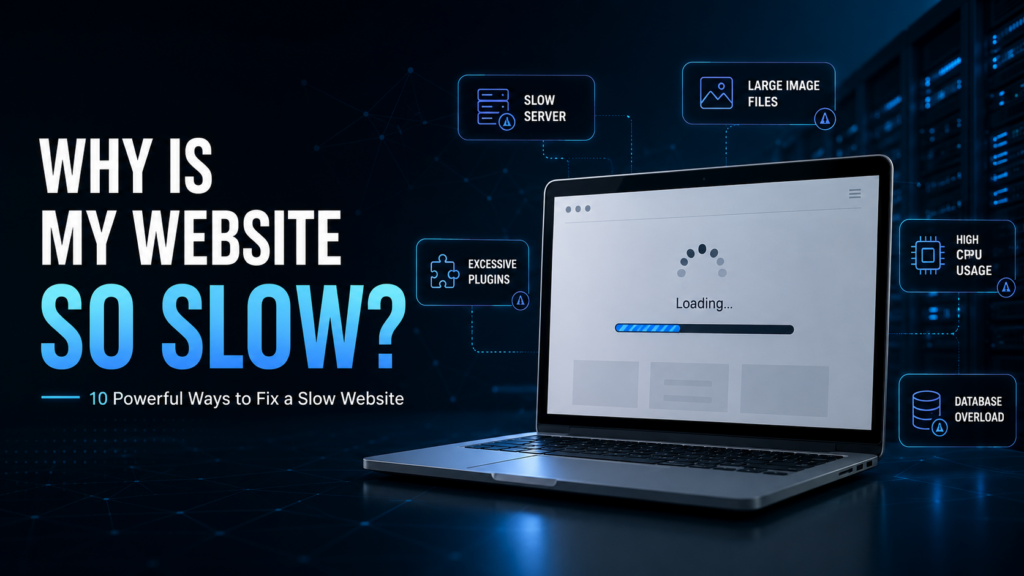
One of the biggest reasons people ask Why is my website so slow is their hosting environment.
Your website needs a server to store its files, database, applications, images, and other resources. Every time someone visits your website, the server has to process requests and send the required data to the visitor’s browser.
If you’re wondering why is my website so slow, your hosting server should be one of the first things you investigate. If the server is overloaded or has limited resources, your website may respond slowly even when the website itself is well optimized.
This is especially common with inexpensive shared hosting. When people ask why my website is so slow, shared hosting resource limitations are often one of the possible reasons.
On shared hosting, multiple websites may use resources from the same physical server. If other websites consume a significant amount of CPU, RAM, disk I/O, or other resources, your website’s performance can sometimes be affected.
Signs Your Hosting May Be the Problem
If you’re trying to understand why is my website so slow, look for symptoms such as:
- High server response time
- Slow loading during peak hours
- Frequent CPU usage limits
- RAM usage reaching its limit
- Random slowdowns
- 502 or 504 errors
- Website becoming slower as traffic increases
- Slow WordPress admin dashboard
- Database requests taking too long
If your website consistently has these problems, optimizing images alone may not solve the issue. If you’re still asking why is my website so slow after optimizing your website, your hosting environment may need attention.
You may need a better hosting environment with more resources.
Shared Hosting vs VPS Hosting
For a small website with limited traffic, shared hosting can be sufficient.
However, as your website grows, you may need more control and dedicated resources. If you’re asking why is my website so slow as your traffic increases, upgrading your hosting may be worth considering.
A VPS (Virtual Private Server) provides an isolated environment with allocated resources and more control over the server configuration.
This can be useful for:
- Growing business websites
- High-traffic WordPress websites
- E-commerce websites
- Web applications
- Development environments
- Websites requiring custom server configurations
For websites with demanding workloads, a dedicated server can provide even more resources because the entire physical server is allocated to your applications.
The right option depends on your traffic, software, resource requirements, and budget.
2. Large Images Can Slow Down Your Website
Another common reason people search for why is my website so slow is large image files.
Images make websites more attractive and engaging, but uploading images directly from a camera or design software without optimization can dramatically increase page size.
If you’re trying to find out why is my website so slow, check the size of the images used throughout your website.
For example, imagine a webpage containing:
- 10 images
- Each image is 2 MB
- Total image size = approximately 20 MB
A visitor with a slower internet connection may have to download a huge amount of data before the page becomes fully usable.
How to Optimize Website Images
If you’re investigating why is my website so slow, image optimization should be one of your first steps.
Before uploading an image, consider:
Resize It
Don’t upload a 4000×3000 pixel image if your website only displays it at 800×600 pixels.
Compress It
Reduce unnecessary file size while maintaining acceptable visual quality.
Use Modern Formats
WebP and AVIF can often provide smaller file sizes than older formats such as JPEG and PNG.
Enable Lazy Loading
Images below the visible part of the page don’t always need to load immediately.
For WordPress websites, image optimization plugins can automate many of these tasks and help answer the question of why is my website so slow when large images are the problem.
3. Too Many WordPress Plugins
If you’re using WordPress, plugins are another possible reason why is my website so slow.
Plugins can add useful features such as contact forms, SEO tools, security, analytics, payment systems, caching, image optimization, and more.
However, every additional plugin can potentially add scripts, styles, database queries, or background processes.
That doesn’t mean you should avoid plugins completely.
Instead, use only the plugins your website actually needs. If you’re troubleshooting why is my website so slow, reviewing your plugins can reveal unnecessary performance issues.
Check Your WordPress Plugins
Review your plugins and ask:
- Do I really need this plugin?
- Is another plugin already providing the same feature?
- Is this plugin regularly updated?
- Is it creating unnecessary database queries?
- Does it load scripts on every page?
- Is there a lightweight alternative?
Also remember that deactivating an unnecessary plugin is not always the same as removing it. If you don’t need a plugin anymore, create a backup and remove it completely.
4. Your WordPress Theme May Be Too Heavy
A visually impressive website isn’t automatically a fast website.
If you’re asking why is my website so slow despite having good hosting, your WordPress theme should also be investigated.
Some WordPress themes include:
- Large JavaScript files
- Multiple CSS files
- Animation libraries
- Custom fonts
- Sliders
- Unnecessary widgets
- Complex page-builder elements
All of these features can increase the amount of work your browser and server need to perform.
If you’re trying to figure out why is my website so slow, your theme should be part of the investigation.
Choose a Lightweight Theme
A good WordPress theme should ideally be:
- Lightweight
- Mobile responsive
- Well coded
- Regularly updated
- SEO-friendly
- Compatible with caching
- Compatible with modern WordPress versions
You don’t necessarily need hundreds of visual effects to create a professional website.
Sometimes, a simple design with optimized code provides a much better user experience and can help solve problems related to why is my website so slow.
5. Your Website May Not Have Proper Caching
Caching is one of the most effective ways to improve website performance.
If you’re wondering why is my website so slow even though your server has sufficient resources, check whether caching is properly configured.
Without caching, the server may have to generate the same page repeatedly whenever visitors request it.
Caching allows frequently requested content to be stored temporarily so it can be delivered more quickly.
There are several types of caching:
Browser Caching
A visitor’s browser stores certain files locally so they don’t need to be downloaded again every time.
Page Caching
A generated webpage can be stored and served to visitors without rebuilding the page from scratch.
Object Caching
Frequently requested database information can be temporarily stored, reducing repeated database queries.
Server-Side Caching
Caching can also happen at the server level, depending on your hosting environment and software.
For WordPress websites, properly configured caching can significantly improve loading performance and may be an important solution when you’re investigating why is my website so slow.
6. Too Much JavaScript and CSS
Modern websites often rely heavily on JavaScript and CSS.
These technologies are important, but excessive or poorly optimized code can slow down page rendering.
If you’re still trying to determine why is my website so slow, inspect the scripts and stylesheets loaded by your website.
For example, your website might load scripts for:
- Sliders
- Animations
- Social media widgets
- Tracking tools
- Popups
- Chat systems
- Page builders
- Marketing tools
Some of these scripts may not be necessary on every page.
How to Improve JavaScript and CSS Performance
Consider:
- Removing unnecessary scripts
- Minifying CSS and JavaScript
- Delaying non-critical JavaScript
- Loading resources only where needed
- Removing unused CSS
- Reducing third-party scripts
Be careful when making these changes, especially on WordPress. Aggressive optimization can sometimes break website functionality.
Always create a backup before making major performance changes.
7. Your Website Database May Be Too Large
WordPress relies heavily on its database.
When investigating why is my website so slow, database performance should not be ignored.
Your database can contain:
- Posts
- Pages
- User information
- Comments
- Settings
- Plugin data
- Theme data
- Post revisions
- Temporary information
Over time, unnecessary information can accumulate.
For example, a website with thousands of post revisions and large amounts of unused plugin data may have a less efficient database than a clean installation.
If you’re still asking why is my website so slow after optimizing images and plugins, database optimization may be another area worth checking.
Database optimization can help reduce unnecessary data and improve efficiency.
However, always create a complete backup before making database changes.
How to Check Your Website Speed
If you want to understand why is my website so slow, don’t rely only on how the website feels when you open it.
Use performance testing tools to identify specific problems.
Google PageSpeed Insights
Google PageSpeed Insights can test your website and provide performance recommendations for both mobile and desktop.
You can check it here:
Look at recommendations related to:
- Largest Contentful Paint (LCP)
- First Contentful Paint (FCP)
- Total Blocking Time
- Cumulative Layout Shift (CLS)
- Image optimization
- JavaScript
- CSS
- Server response time
Don’t become obsessed with achieving a perfect score.
Instead, focus on fixing the problems that have the biggest impact on real users.
GTmetrix
GTmetrix is another useful tool for analyzing website performance.
It can help you understand:
- Page size
- Number of requests
- Loading time
- Images
- JavaScript
- CSS
- Server response
- Performance bottlenecks
Testing your website before and after optimization can help you determine whether your changes are actually working and can provide useful clues about why is my website so slow.
Quick Checklist: Why Is My Website So Slow?
If you’re still wondering why is my website so slow, check these areas first:
- Is your hosting server overloaded?
- Is your website using too many large images?
- Are you using unnecessary WordPress plugins?
- Is your theme lightweight?
- Is caching enabled?
- Are JavaScript and CSS optimized?
- Is your database properly maintained?
- Are you using a CDN?
- Does your server have enough CPU and RAM?
- Has your website outgrown its current hosting plan?
8. Your Website Doesn’t Use a CDN
A Content Delivery Network (CDN) can help deliver your website’s static files faster to visitors in different geographic locations.
A CDN uses multiple servers distributed across different regions. Instead of every visitor requesting static resources directly from your main server, resources can be delivered from a location closer to the visitor.
This can reduce latency and improve the delivery speed of:
- Images
- CSS files
- JavaScript
- Fonts
- Videos
- Other static resources
How Does a CDN Work?
Imagine your main server is located in Europe, but a visitor opens your website from the United States.
Without a CDN, the visitor’s browser communicates directly with your European server.
With a CDN, some static content may be delivered from a CDN location closer to the visitor.
This can make your website feel faster, especially when you have visitors from multiple countries.
However, remember that a CDN is not a replacement for good hosting.
If your origin server is slow, a CDN alone won’t solve every performance problem.
9. Your Server Location May Be Too Far From Your Visitors
Another reason why is my website so slow can be the physical distance between your server and your visitors.
Every request has to travel across networks between the visitor and the server.
For example, if your primary customers are located in the United Kingdom but your server is located thousands of miles away, network latency can be higher than if the server were located closer to your target audience.
This doesn’t mean distance is the only factor that determines website speed. Network quality, server performance, routing, caching, and CDN configuration also matter.
Choose a Server Location Based on Your Audience
Before choosing a VPS or dedicated server, consider where most of your visitors are located.
For example:
UK audience → London server
European audience → Frankfurt or Amsterdam server
North American audience → US or Canadian server
For a global audience, a combination of reliable hosting and a CDN can provide a more consistent experience.
10. Your Website Has Outgrown Its Hosting Plan
One of the most important answers to why is my website so slow is simply that your website has become too large for its current hosting plan.
Your website may have started with low traffic and minimal resource requirements.
But over time, you may have added:
- More visitors
- More products
- More WordPress plugins
- Larger databases
- More images
- E-commerce functionality
- More complex applications
- Marketing and analytics tools
As your website grows, its resource requirements grow too.
A hosting plan that worked perfectly one year ago may no longer be enough today.
Common Signs That You Need More Resources
You may need to upgrade your hosting if you regularly experience:
- High CPU usage
- High RAM usage
- Slow server response times
- Resource limit warnings
- Website downtime
- Slow loading during traffic spikes
- Database performance problems
- 502 or 504 errors
If these problems happen frequently, upgrading your hosting environment may be more effective than making endless changes to your website.
Shared Hosting vs VPS vs Dedicated Server
Choosing the right hosting environment is important for website performance.
Shared Hosting
Shared hosting is generally suitable for:
- Personal blogs
- Small websites
- New websites
- Low-traffic business websites
It is affordable and easy to use, but resources are shared with other websites.
VPS Hosting
VPS hosting provides a more isolated environment with dedicated or allocated resources and greater control.
It can be a good choice for:
- Growing businesses
- Medium-traffic websites
- WordPress websites
- Developers
- Web applications
- Online stores
If your website has started experiencing resource limitations on shared hosting, a VPS can be a logical next step.
Dedicated Server
A dedicated server provides an entire physical server for your website, application, or business.
Dedicated servers can be suitable for:
- High-traffic websites
- Large e-commerce platforms
- Resource-intensive applications
- Enterprise websites
- Databases requiring significant resources
- Businesses needing extensive server control
The important thing is to choose resources based on your actual requirements rather than simply choosing the most powerful server available.
How to Make Your Website Faster
Now that we’ve covered the major reasons why is my website so slow, let’s look at practical steps you can take.
1. Optimize Your Images
Compress large images and use modern formats such as WebP or AVIF.
Avoid uploading unnecessarily large images.
2. Enable Website Caching
Use appropriate page, browser, object, or server-side caching.
For WordPress, configure your caching solution carefully and test your website after making changes.
3. Remove Unnecessary Plugins
Review your WordPress plugins regularly.
Remove plugins that you no longer use and avoid installing multiple plugins that perform the same task.
4. Use a Lightweight Theme
A lightweight theme with clean code can reduce unnecessary CSS, JavaScript, and other resources.
5. Optimize JavaScript and CSS
Minify files, remove unnecessary code, and delay non-critical JavaScript when appropriate.
6. Use a CDN
A CDN can help deliver static resources more efficiently to visitors around the world.
7. Optimize Your Database
Clean unnecessary revisions, spam comments, and unused data.
Always create a backup before performing database optimization.
8. Keep WordPress Updated
Keep the following updated:
- WordPress
- Themes
- Plugins
- PHP
- Server software
Updates can include performance improvements, bug fixes, and security improvements.
Why Is My Website So Slow on Mobile?
Your website may appear reasonably fast on a desktop computer but become much slower on mobile devices.
This can happen because mobile users may have:
- Slower network connections
- Less powerful hardware
- Smaller amounts of available resources
- Higher latency
A website with huge images, excessive animations, and complicated scripts can be particularly difficult for mobile devices.
Improve Mobile Performance
Make sure your website:
- Uses responsive design
- Compresses images
- Avoids unnecessary animations
- Minimizes JavaScript
- Uses caching
- Loads important content first
- Uses a lightweight theme
- Has properly configured mobile performance
Always test your website on both desktop and mobile devices.
Can Slow Hosting Affect SEO?
Yes, website performance can influence the overall user experience and search performance.
Search engines consider page experience and performance-related signals as part of their systems.
A slow website can also indirectly hurt your SEO because visitors may:
- Leave the website quickly
- View fewer pages
- Interact less with your content
- Have a poor overall experience
That’s why website speed should be considered part of a broader SEO and website optimization strategy.
However, don’t assume that simply improving a PageSpeed score will automatically make your website rank #1.
Content quality, relevance, backlinks, technical SEO, user experience, and many other factors also matter.
When Should You Upgrade to VPS Hosting?
If you’ve optimized your website but you’re still experiencing slow server response times, it may be time to consider VPS hosting.
A VPS can be a good option when:
- Your website is growing quickly.
- Shared hosting resources are no longer enough.
- You need more CPU or RAM.
- You want more server control.
- Your website receives regular traffic spikes.
- You run resource-intensive applications.
- You need a more flexible hosting environment.
Instead of immediately purchasing the biggest VPS available, first determine how much CPU, RAM, storage, and bandwidth your website actually needs.
When Do You Need a Dedicated Server?
A dedicated server may be appropriate when your website or application requires significant resources and consistent performance.
You may consider a dedicated server if:
- Your website receives very high traffic.
- Your application requires substantial CPU resources.
- Your database is large and resource-intensive.
- You operate a busy e-commerce platform.
- You need extensive server customization.
- You need resources beyond what a VPS can comfortably provide.
For businesses where website performance directly affects revenue, investing in reliable infrastructure can be worthwhile.
A Simple Website Speed Optimization Checklist
If you’re still wondering why is my website so slow, go through this checklist:
✅ Test your website with Google PageSpeed Insights
✅ Test your website with GTmetrix
✅ Check your server response time
✅ Optimize large images
✅ Use WebP or AVIF
✅ Enable caching
✅ Remove unnecessary WordPress plugins
✅ Use a lightweight theme
✅ Optimize CSS and JavaScript
✅ Clean your database
✅ Consider using a CDN
✅ Choose a server location close to your primary audience
✅ Monitor CPU and RAM usage
✅ Upgrade your hosting when necessary
Is Better Hosting the Solution to a Slow Website?
Sometimes yes—but not always.
If your website is poorly optimized, moving to a more powerful server won’t automatically fix every problem.
For example, a website with 10 MB images and dozens of unnecessary scripts may remain slow even after moving to a powerful VPS.
However, if your website is properly optimized and the server itself is the bottleneck, upgrading your hosting can make a significant difference.
A good strategy is:
Optimize your website → Test performance → Identify the bottleneck → Upgrade infrastructure if necessary.
This approach helps you spend money where it actually matters.
Choose Reliable Hosting for Better Website Performance
If you’ve optimized your website and you’re still asking why is my website so slow, your hosting environment may be one of the areas worth investigating.
A reliable hosting environment can provide the resources your website needs to handle visitors, applications, databases, and traffic growth.
IlhamServers provides VPS and dedicated server solutions for businesses, websites, developers, and applications that need reliable infrastructure and scalable resources.
Whether you’re moving away from shared hosting or looking for a dedicated server for a high-traffic website, choosing the right server configuration can help you build a more stable hosting environment.
👉 Explore IlhamServers Hosting Offers:
https://ilhamservers.com/offers.html
Frequently Asked Questions
Why is my website so slow?
A website can be slow because of poor hosting, large images, excessive plugins, unoptimized code, database problems, lack of caching, high traffic, or insufficient server resources. Testing your website can help identify the specific problem.
How can I make my website faster?
Start by optimizing images, enabling caching, removing unnecessary plugins, using a lightweight theme, optimizing JavaScript and CSS, and checking your hosting resources.
Does hosting affect website speed?
Yes. Server performance, available CPU and RAM, storage technology, network connectivity, server configuration, and server location can all affect website performance.
Is VPS hosting faster than shared hosting?
A VPS can provide more predictable resources and greater control than shared hosting, which can help growing websites achieve more consistent performance. Actual speed depends on the VPS configuration and website optimization.
Can too many plugins slow down WordPress?
Yes. Some plugins can add scripts, styles, database queries, or background processes. Using fewer, well-maintained plugins can help reduce unnecessary overhead.
Does a CDN make a website faster?
A CDN can improve the delivery of static content by serving resources from locations closer to visitors. However, it doesn’t replace the need for a well-optimized website and reliable origin hosting.
Final Thoughts
If you’re asking why is my website so slow, don’t immediately assume that you need a new website or a more expensive hosting plan.
Start by identifying the actual bottleneck.
Optimize your images, reduce unnecessary plugins, enable caching, improve your code, maintain your database, and test your website regularly.
If your website continues to perform poorly after optimization, your current hosting environment may no longer be suitable for your needs.
At that point, moving to a VPS or dedicated server can provide additional resources, flexibility, and control.
A fast website isn’t just about better performance. It can also create a better experience for your visitors and help your business convert more of that traffic into customers.
Need faster hosting for your growing website?
👉 Check the latest IlhamServers offers:
https://ilhamservers.com/offers.html